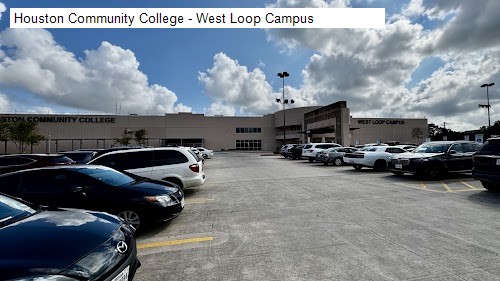
5 /5 Daniel Neuhaus: If you’re taking an exam at the Houston Community College West Loop Campus Testing Center, here’s some information to make your visit smoother than mine! The Testing Center is in room 146, but this wasn’t clear on the booking system, so it took me a bit to find it.
Finding the Testing Center
Enter through the main door with the information desk (I’ve attached photos to show it). This is key, as there are several doors, and using the main entrance will save time. Once inside, head straight down the hallway, and look for a sign that says “Testing” with an arrow pointing right—follow it to room 146.
Parking
Parking is easy on the south side of the building. You can park anywhere, but this side is closest to the main entrance.
Check-In Process
The check-in process is quick and efficient. The staff are knowledgeable and guide you through locking up personal devices to ensure a distraction-free, secure environment.
Inside the Testing Room
The testing room is quiet, clean, and organized. It’s a shared space with others taking a variety of exams—on my visit, people were taking everything from Texas Life & Health to real estate, cybersecurity, TSA, and more. Testing is done on individual computers, and the room is spacious enough to help you focus.
Timing and Flexibility
It’s important to be on time for your reserved slot since this isn’t a group testing session. Fortunately, they allow a short five-minute grace period if you’re slightly late, which was helpful for me as it took time to navigate the building.
Receiving Your Results
After completing the test, you’ll receive a printout with your score (depending on your exam type). I was happy to see I passed! The staff were friendly and answered questions about my results.
Overall, the Testing Center is well-run, with knowledgeable staff, a clean and quiet environment, and an efficient process. I hope this helps future test-takers have a stress-free experience!